


DJ Manager lets you create separate login details for different presenters or DJs.
Step 1: Open DJ Manager
From the left menu, click DJ Manager.
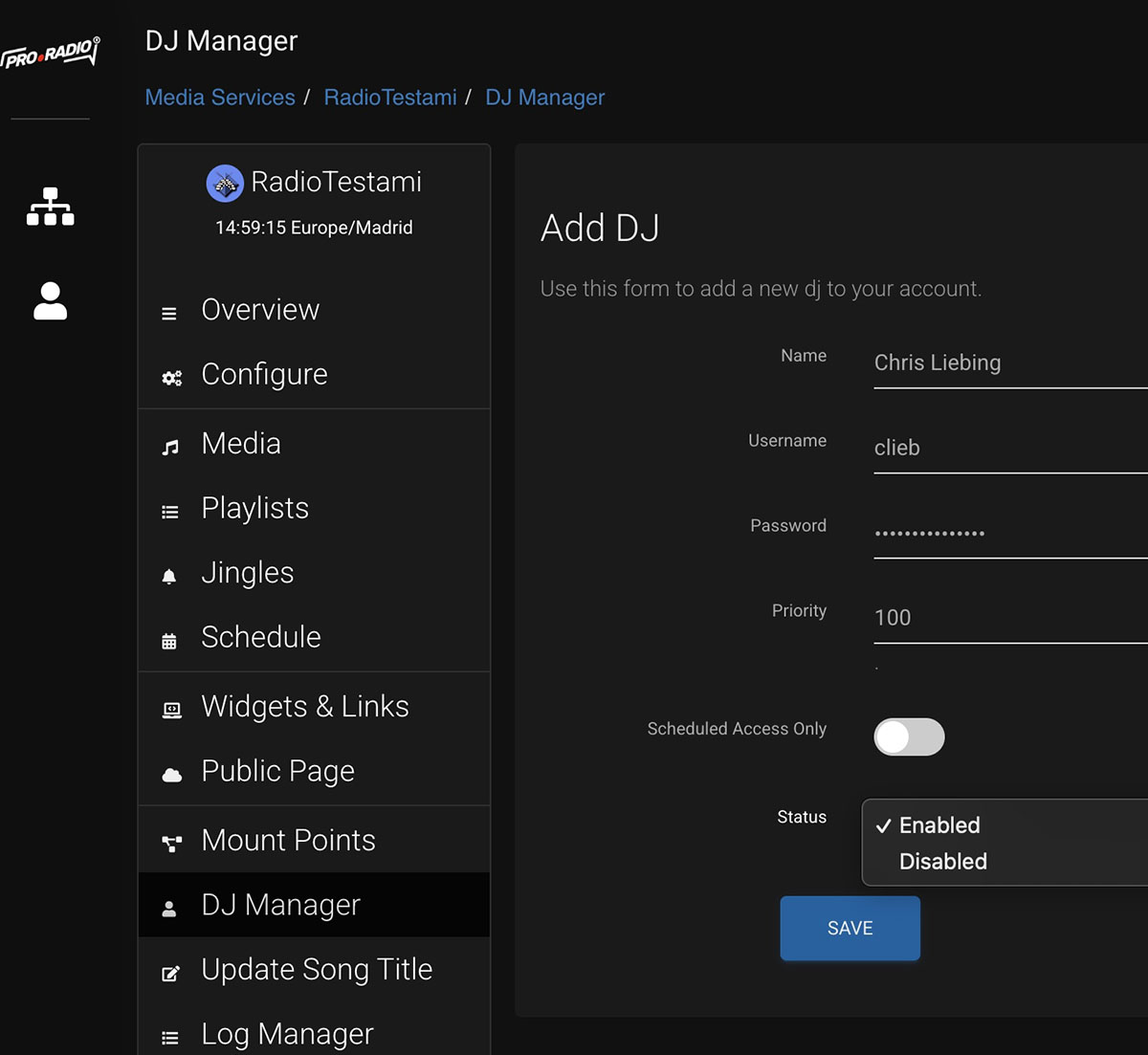
Step 2: Add a new DJ account
Create a new DJ and enter a username and password. Use clear names so you can easily identify each presenter later.
Step 3: Set the mountpoint if needed
Each DJ can have a private mountpoint. In simple setups, just use the values suggested by the panel.
Step 4: Limit allowed broadcast times
If needed, restrict a DJ account to specific days or hours. This is useful when different presenters have fixed show times.
Step 5: Save the DJ account
After saving, give the presenter the exact connection details shown by the system.
Step 6: Test the DJ login
Before a real show, do a quick connection test to confirm the DJ can connect correctly.
Tips
- Use separate DJ accounts instead of sharing the main station password.
- Restrict broadcast times if multiple DJs use the same station.
- Test every new DJ account before the first live show.